Answer
Nov 30, 2025 - 12:00 AM
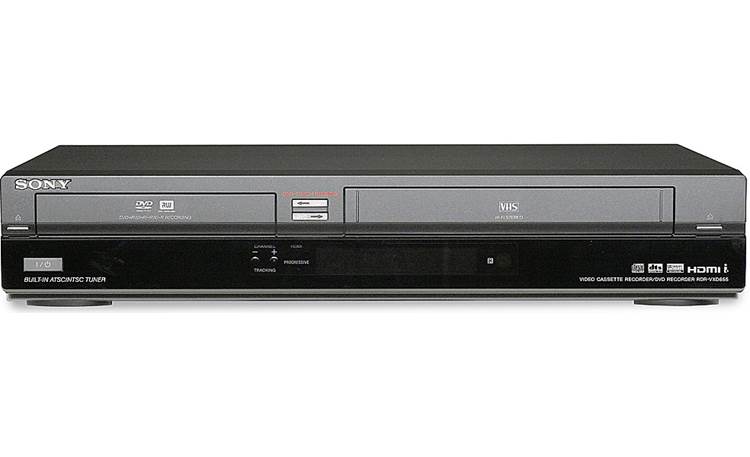
Yes, the Sony RDR-VXD655 DVD Recorder/VHS Combo Player allows you to copy VHS tapes to DVDs, and with additional hardware, you can also transfer VHS or DVD content to your laptop.
1. Copying VHS to DVD (Using the Sony RDR-VXD655)
Steps:
- Insert your VHS tape and a blank, recordable DVD-R, DVD+R, DVD-RW, or DVD+RW.
- Select Dubbing Mode on the remote.
- Choose VHS to DVD and start the transfer.
- Finalize the DVD in the settings menu so it can be played on other devices.
Option 1: Using a USB Video Capture Device
- Buy a USB video capture device (such as Elgato Video Capture or a generic RCA-to-USB adapter).
- Connect RCA cables (Red, White, Yellow) from the Sony RDR-VXD655 Output to the USB capture device.
- Plug the USB device into your laptop.
- Use software (often provided with the capture device, or something like OBS Studio) to record and save the VHS/DVD footage to your laptop.
- After recording VHS to DVD, insert the finalized DVD into your computer’s DVD drive.
- Use software like HandBrake (for digital conversion) or MakeMKV (for direct DVD ripping) to transfer the video file to your laptop.
This unit has a built-in VHS-to-DVD dubbing function, making it easy to transfer your VHS tapes directly to a DVD.
Since this unit does not have a direct USB or HDMI output for a laptop, you will need a video capture device to transfer the content.