Answer
Mar 09, 2025 - 08:53 PM
Yes this will connect to any device that has RCA output.
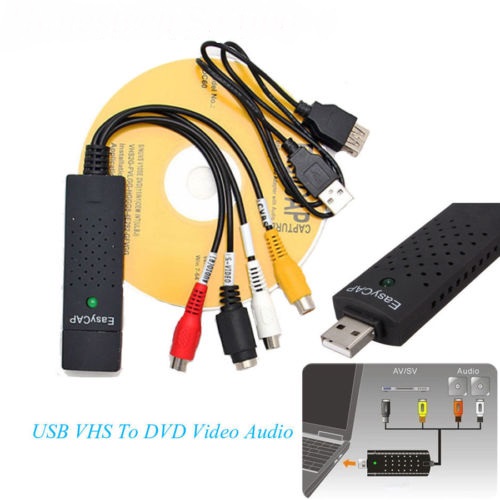
The Tape to Digital Converter Kit (EasyCap USB Audio VHS to Digital Converter) works by capturing analog video and audio signals from your VHS tapes and converting them into digital files that you can store on a computer. Here’s how it works step by step:
1. Connecting the Hardware
- The EasyCap USB adapter has RCA (red, white, and yellow) and/or S-Video inputs.
- Connect your VCR, camcorder, or other analog video source to the EasyCap adapter using RCA cables.
- Plug the EasyCap USB into your computer.
2. Installing the Software
- The kit comes with software (or you can download compatible programs like OBS Studio or VLC).
- Install the software on your Windows or Mac computer. (Some versions may have driver compatibility issues, so check your operating system.)
3. Capturing Video
- Open the video capture software and select EasyCap as the input device.
- Play the VHS tape on your VCR, and the software will display the video on your computer screen.
- Click Record to start capturing the video in real time.
4. Saving and Editing
- The recorded video is saved as a digital file (usually MP4, AVI, or MPEG).
- You can use video editing software to trim, enhance, or convert the file into different formats.
5. Storing and Sharing
- The final digital file can be stored on a hard drive, USB, cloud storage, or DVD for long-term preservation.
- You can also share it online or with family members.